.png?width=116&height=40&name=Logo%20dark%20(1).png)
Step 1: Visit the Dubly.AI Website
Head over to www.dubly.ai to begin the sign-up process.
Step 2: Click "Sign Up"
On the homepage, you’ll find the “Free trial” button at the top right corner. Click on it to start creating your account.
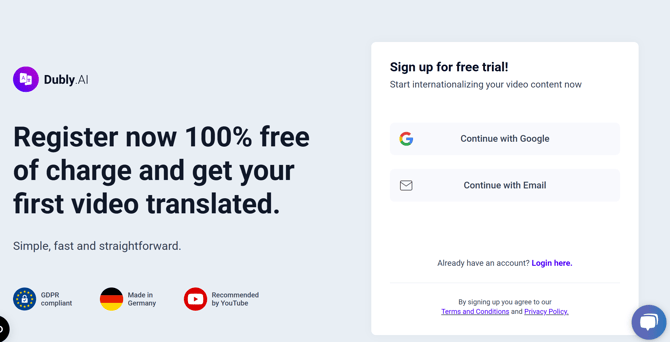
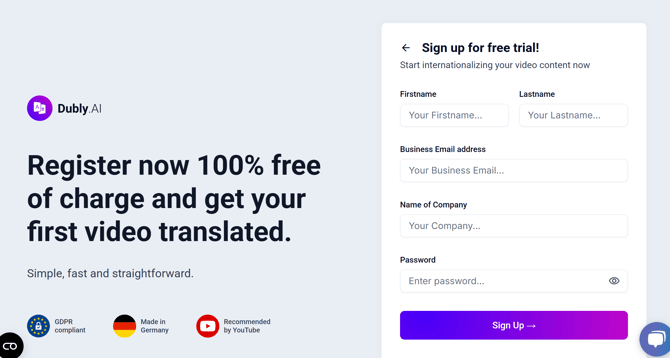
Step 3: Choose Your Sign-Up Method
You have two options for signing up:
- Sign Up with Email: Enter your full name, email address, company and a strong password.
- Sign Up with Google: If you prefer to sign up quickly, you can use your Google account to log in directly. Simply click on the “Sign up with Google” button and follow the prompts.
Step 4: Agree to the Terms & Conditions
Make sure to read through our Terms of Service and Privacy Policy, then check the box to agree.
Step 5: Verify Your Email (If Using Email Sign Up)
After signing up, you’ll receive a verification email. Click on the verification link to activate your account.
Step 6: Log In to Your Account
Once verified, return to the Dubly.AI website and log in using the email and password you provided.
Step 7: Complete Your Profile
After logging in, you’ll be prompted to complete your account setup. This includes:
- Setting up your company or personal profile
- Choosing your preferred language settings
- Exploring your account dashboard
Step 8: Choose Your Subscription Plan
Dubly.AI offers flexible subscription plans. Choose the plan that fits your needs, whether you're a small business or a large enterprise.
Step 9: Start Uploading Your Videos
Once your account is set up, you’re ready to start translating! Simply upload your videos, and you’ll be guided through the localization process.